


Video Downloader - HD & Easy
4.63.09K Reviews
App Specs
- Version
- 1.4.9
- Updated On
- License
- Free
- Downloads
- 10,000,000+
- Developer
- 360 Tool
- Categories
- Video Players & Editors
- Platform
- Android
Screenshots
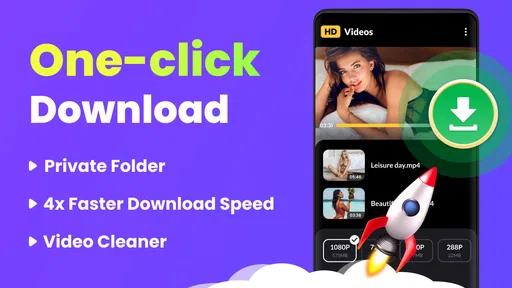
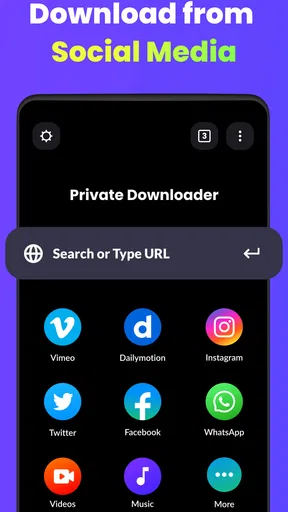
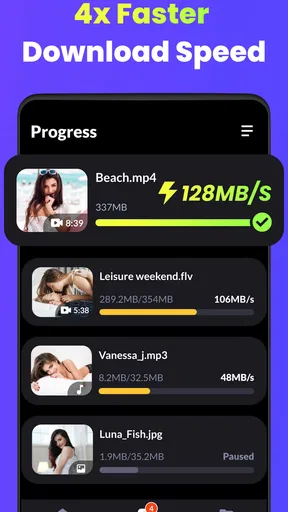
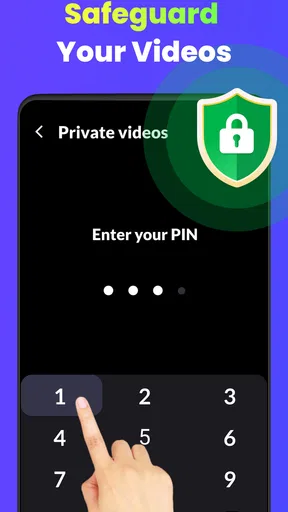
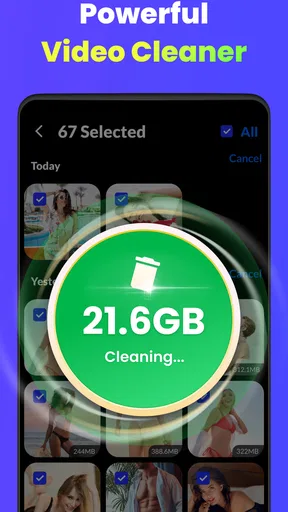
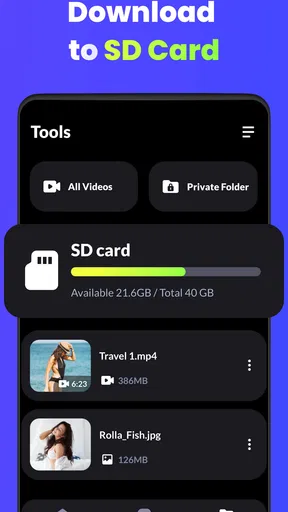
 Analysis by AppCompare
Before installing a video downloader, I’d ask one practical question: what do I want to do with a saved clip once I have it? If the answer is watch it later without relying on a connection, keep a useful reference close at hand, or make room for a few memorable clips in my camera roll, Video Downloader - HD & Easy is aimed at that simple job. It is a free video tool from 360 Tool, and its focus is saving videos rather than editing them into a polished production.
That distinction matters. I wouldn’t choose it as a replacement for a full video editor, and I wouldn’t expect a downloader to make every online video available offline. What I would want is a clear route from finding a clip to saving it, then playing it back without extra steps. The app’s appeal is that narrow, useful purpose: it brings downloading and viewing together instead of asking me to juggle separate tools.
What to expect from a focused downloader
Video Downloader - HD & Easy sits in the video player and editor category, though its everyday role is closer to a downloader with playback than to an editing suite. The store summary highlights support for 4K playback and downloads, which is useful for people who care about image detail, but resolution alone does not guarantee a better result. The source video, available quality, screen size, and file size all affect what makes sense for a particular clip.
I’d think of the resolution choice as a trade-off, not a setting to leave at the maximum automatically. A high-quality file can look better on a large screen, but it also takes more storage and may take longer to transfer. For a short clip I plan to watch on my phone, a smaller option can be the sensible choice; for footage I want to inspect closely, higher quality is easier to justify.
The app has a 4.6 average from around 171,000 ratings, and it has passed 10 million installs. Those figures suggest it has found a broad audience, though they can’t tell me whether a particular video source will work for my needs. I’d treat them as reassurance that the app is established, not as a promise that every link will behave the same way.
First setup and a sensible first test
Getting started should be straightforward: install the app, open it, and use a video you’re allowed to save as a test. I prefer trying one short clip before relying on any downloader for a longer task. That quick trial helps me learn where a completed file appears, how playback works, and whether the selected quality is a good fit without filling the phone with a large download.
For a first attempt, keep the workflow simple. Find a publicly accessible clip or a video whose owner has given permission to download, then follow the app’s available route for handling it. Before committing to a large file, check that the source is the one you meant to save and consider whether you actually need the highest resolution. This small pause can prevent wasted storage and the annoyance of downloading the wrong version.
Worth Reading Before You Choose

Flipboard Shows What News Apps Must Do Beyond the Feed

Switching to Android Auto Means Rethinking Your Driving Routine

Google Calendar Makes a Crowded Week Easier to Manage

Ludo King Makes the Most of the Minutes Between Plans

Baby Panda World Brings Quick Play to Modern Phones, but Its Game Library Feels Busy

ESPN’s Live Game View Makes Following Close Games Easier
A realistic use case is saving a permitted tutorial while connected to Wi-Fi, then watching it later during a commute where the connection is unreliable. I’d download only the sections or clips I expect to revisit, play one back before leaving, and make sure the file is available inside the app. That last check is easy to overlook: a download that appears complete is only useful if it opens when I need it.
Getting Started with Ease
First off, let me tell you how easy it is to get started with Video Downloader - HD & Easy. The app is available for both Android and iOS, so it doesn't matter what kind of device you're rocking. Downloading it is as simple as a quick search in the app store, and boom, you're ready to roll.
Once you’ve got it, the interface is super intuitive. You know how some apps have that overly complicated design that leaves you scratching your head? Not this one. Everything you need is right there on the main screen, and it's all laid out in a way that just makes sense.
Features That Make Life Simpler
Now, onto the features. First and foremost, this app supports a ton of platforms. We're talking Facebook, Instagram, Twitter, and more. So, if you find a video anywhere, chances are you can snag it with this app.
The highlight for me was the HD quality downloads. I mean, who wants a pixelated video, right? With this app, you get crisp, clear downloads every time. Plus, there’s an option to choose different resolutions if you're trying to save on storage space.
Another cool feature is the built-in video player. So, once you download a video, you can watch it right there in the app without having to hop over to another player. It's these little conveniences that really add up.
Making saved videos useful offline
The built-in player is more than a convenience at the end of a download. It gives me a quick way to verify that a file opens and that its picture and sound are usable before I depend on it away from home. I’d make that check while still on Wi-Fi, especially with an important tutorial or a longer clip, rather than discovering a playback issue when I’m already offline.
It also changes how I’d organize a small collection. I’d use the downloader for clips I genuinely expect to revisit, not as a place to accumulate every interesting video I see. A few saved references can be handy for a recipe, a repair demonstration, or a lesson I want to review; a large pile of forgotten files becomes a storage problem and makes it harder to find the one I meant to keep.
There is a useful distinction between saving for personal offline viewing and redistributing someone else’s work. I’d only download material when the source permits it and would not assume that having a file gives me permission to repost it. If a creator offers an official download or an offline option in the original service, that route is often the better choice because it respects the creator’s terms and keeps the video connected to its intended context.
Where a downloader can feel less predictable
Support for multiple platforms is convenient, but I would not treat it as a guarantee that every video on every service can be saved. Sites change how content is delivered, and some videos are private, protected, or otherwise unavailable for direct downloading. If a link fails, I’d first check that it is public and accessible, then try the source’s own offline feature rather than repeatedly attempting the same link.
That’s also why this app is not the right choice for someone who needs a dependable archive of professional footage or a workflow for editing and publishing. A desktop transfer process, a creator’s official download, or a dedicated editor may suit those jobs better. For casual personal use, though, the quick path from a supported video to an in-app playback check is the more relevant advantage.
Storage is another everyday constraint. High-resolution video can take up space quickly, so I’d avoid choosing the largest option for every clip just because it is available. A practical routine is to download at a lower resolution for casual viewing, reserve higher quality for footage where detail matters, and remove files once I no longer need them. That keeps the app useful without turning offline convenience into ongoing storage cleanup.
User Experience: Smooth as Butter
Let's talk about the user experience for a sec. The app runs smoothly, and I didn't notice any lag, even when downloading larger files. It also doesn’t bombard you with ads, which is a huge plus in my book. There are a few, but they’re not intrusive or annoying.
And here's something I really appreciated: the app doesn't require any sketchy permissions. You know how some apps ask for access to everything under the sun? Not this one. It respects your privacy, which is a relief.
Choosing it over the usual alternatives
Compared with watching everything directly in a social or video app, a downloader makes most sense when I need a specific clip available without depending on the service connection. The trade-off is that I’m managing a separate local copy, which uses device storage and may not stay in sync with changes to the original. If I only watch a clip once, streaming it in the original app is simpler; if I know I’ll revisit it offline, a saved copy can be more convenient when downloading is allowed.
Compared with a general file manager, this app’s built-in player makes the download-and-check process feel more direct. A file manager can be better if I need to sort many kinds of documents or move files between folders, while a standalone media player may offer more playback controls. I’d pick this app when the main task is getting a video and watching it, not when I want broad file organization or advanced editing tools.
For someone new to downloaders, the key question is not whether the app claims broad support, but whether it works with the source they actually use. I’d test that source with a permitted, nonessential clip first. That is a more useful trial than downloading a random video, because it answers the practical question before I depend on the app for travel or limited connectivity.
Who will get the most from it
I can see this being a good fit for people who regularly save short, permitted clips for later viewing, especially when they want playback in the same app. It may also suit someone who prefers choosing between file sizes instead of automatically keeping every download at maximum quality. The app is free, carries an Everyone content rating, and version 1.4.9 requires Android 6.0 or later, making it relevant to many Android users with compatible devices.
I would skip it if my main goal were to edit footage, create captions, combine clips, or manage a large media library. It is also a poor fit if I expect every protected or private video to be downloadable, or if I do not want to manage local storage. In those cases, the original platform’s offline tools, a file manager, or a proper editor is likely a better match.
Final Thoughts
All in all, Video Downloader - HD & Easy is a fantastic tool if you're frequently downloading videos from the internet. It's simple, efficient, and does exactly what it promises without any fuss.
If you're someone who loves saving videos to watch later or share with friends, this app is definitely worth a spot on your phone. So go ahead, give it a download and see for yourself how easy it is to use. Happy downloading!
Pros
- Supports multiple video formats.
- Fast download speeds.
- User-friendly interface.
- Allows background downloads.
- Built-in video player.
Cons
- Contains ads during use.
- Limited editing features.
- No batch download option.
- Requires internet for previews.
- Some features need premium.
FAQs for Video Downloader - HD & Easy
What video platforms are supported by Video Downloader - HD & Easy?
Video Downloader - HD & Easy supports a wide range of popular video platforms, including YouTube, Facebook, Instagram, and Vimeo. It allows users to download videos in various resolutions, ensuring optimal quality and compatibility with different devices. Check the app’s description for a complete list of supported platforms.
Is Video Downloader - HD & Easy safe to use?
Yes, Video Downloader - HD & Easy is designed with user safety in mind. It does not require unnecessary permissions and protects your privacy by not storing or sharing your personal data. However, always download the app from official app stores to ensure you receive the legitimate version.
Can I download videos in different formats with Video Downloader - HD & Easy?
Absolutely! Video Downloader - HD & Easy allows you to download videos in multiple formats, including MP4, AVI, and MOV. This flexibility ensures that the videos can be played on various devices without compatibility issues. You can select the desired format during the download process.
Does Video Downloader - HD & Easy support batch downloading?
Yes, the app supports batch downloading, allowing you to download multiple videos simultaneously. This feature saves time and makes it easier to organize your downloads. Simply select the videos you want and add them to the queue for efficient downloading.
Are there any in-app purchases or ads in Video Downloader - HD & Easy?
Video Downloader - HD & Easy offers a free version that includes ads. For an ad-free experience, you can upgrade to the premium version through in-app purchases. The premium version may also unlock additional features, enhancing the overall usability and functionality of the app.


